

Introduction
Have you ever run out of storage on your phone, laptop, or computer? Cloud storage services such as Google Drive and Dropbox often have limited free storage. But did you know that you can use Telegram as an alternative way to store your files online?
Telegram is more than just a messaging application. Its cloud-based chats allow users to upload and access files from multiple devices. With the right organization, Telegram can become a convenient personal cloud storage solution for photos, videos, documents, ZIP files, and other important files.
- What Is Telegram Cloud Storage?
Telegram cloud storage is a method of using Telegram’s servers to store files that you can access later through your Telegram account.
Instead of keeping every file on your device, you can upload it to Telegram and download it whenever you need it. Your files can be accessed from your phone, laptop, tablet, or another supported device by signing in to the same account.
There are two simple ways to do this:
Saved Messages
Saved Messages acts as your personal space for storing files, notes, photos, videos, and links. You can send files to yourself and retrieve them whenever you need them.
Private Channels
You can create private Telegram channels dedicated to different types of files. For example, you can create separate channels for documents, photos, videos, software, and backups. This makes it easier to organize and find your files.
- How Does It Work?
The process is simple:
Open Telegram on your phone or computer.
Open Saved Messages or create a private channel.
Upload the file you want to store.
Wait for the upload to finish.
Open Telegram on another device to access your file.
Download the file whenever you need it.
Your uploaded files are stored remotely rather than relying only on your device’s local storage. This helps save space on your phone or computer.
- Is Telegram Really Unlimited?
Telegram is useful for storing large collections of files, but it should not be described as guaranteed unlimited storage.
Telegram has file-size limits and platform rules. Standard accounts generally support files up to 2 GB each, while Telegram Premium supports files up to 4 GB each. These limits may change over time.
Although Telegram does not work exactly like a traditional cloud drive with a conventional personal storage quota, users should not assume that storage is unlimited, permanent, or guaranteed.
The CLOUD UNLIMITED PROJECT explores how Telegram’s existing cloud features can be used to create a practical, low-cost storage solution.
- Advantages of Using Telegram as Cloud Storage
Free to get started: You can use Telegram’s basic features without purchasing a separate cloud storage subscription.
Access from multiple devices: Your files can be accessed from supported devices where you sign in to your Telegram account.
Save local storage: You can keep files in Telegram and download them only when needed.
Easy file sharing: You can share files through chats and channels, subject to Telegram’s limits and permissions.
Simple organization: You can organize files using Saved Messages, private channels, captions, and descriptive file names.
Support for different file types: Telegram can store documents, archives, photos, videos, and many other file formats.
- Is Telegram Cloud Storage Safe?
Telegram can be convenient for storing personal files, but security is important.
Use a strong account password where applicable, enable two-step verification, and never share login codes with anyone. Keep private storage channels restricted to trusted users and avoid uploading sensitive information unless you understand the privacy risks.
Regular Telegram cloud chats are not end-to-end encrypted by default. For important files, maintain a separate backup on another storage device or cloud service. This protects you if you lose access to your account or encounter an unexpected service problem.
- Can We Build Our Own Cloud Storage System Using Telegram?
Yes, developers can build tools around Telegram to make file storage and management more convenient.
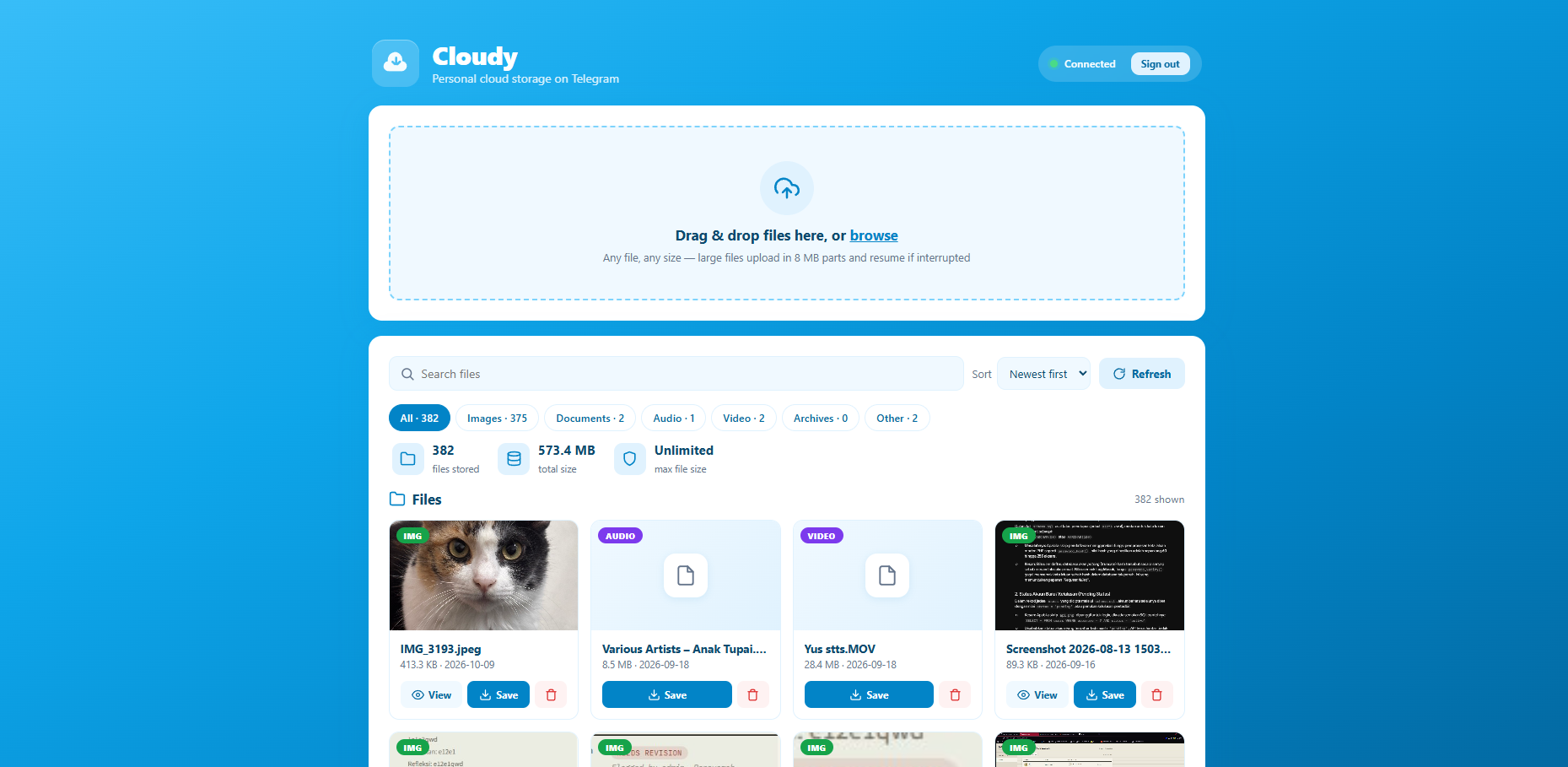
For example, a cloud management website could allow users to upload files, organize them into categories, search their collections, and retrieve files through a Telegram bot.
Such a system could use a web interface, a backend server, a database for file information, and Telegram’s Bot API to manage file operations.
However, Telegram’s Bot API has its own file-size and technical limitations. A proper implementation must also consider account security, access permissions, abuse prevention, service reliability, and backup strategies.
Conclusion
Telegram offers a creative way to use an existing messaging platform as a personal cloud storage solution. By using Saved Messages, private channels, and suitable file organization, users can store and access files without immediately paying for a traditional cloud storage subscription.
The CLOUD UNLIMITED PROJECT aims to explore these possibilities, explain the technology, and help users understand how to build a more convenient file storage experience using Telegram.
Remember: convenient cloud storage is not the same as guaranteed unlimited storage. Always follow Telegram’s rules and keep independent backups of important files.
0 Comments
No comments yet.
Have something to add? Log in or create a free account to comment and like.